Home > Using PhotoTune > Lightroom Integration > SmartFilter Use
SmartFilter Use
To Apply PhotoTune to your image as a Smart Filter in Photoshop
Lightroom follow these instructions:
- Open Photoshop Lightroom
- Select an image
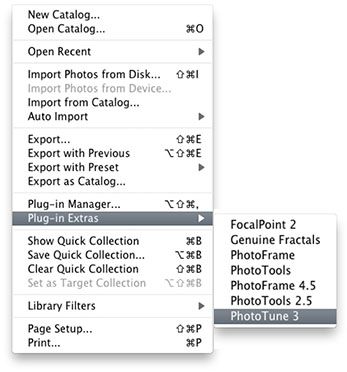
- Go to File > Plug-in Extras
- Select PhotoTune 3
- Select the Edit as Smart Object option
- Press the Open... button.
- Edit your image as normal and press Apply inside of PhotoTune.
Your image will be saved as a new Photoshop file (PSD) located in the same folder as the original image. To adjust a SmartFilter, open the original file in Photoshop.
|
 |
See also
|