Home > Using PhotoTools 25 > Photoshop Lightroom Use > Batch Processing
Batch Processing
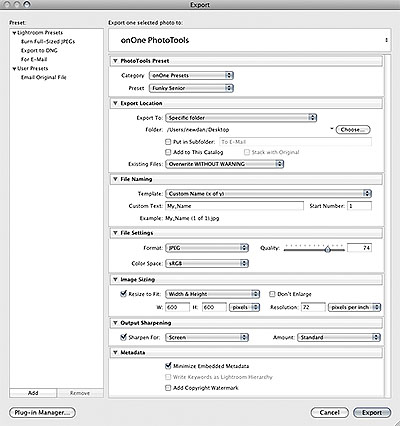
| You can also use PhotoTools from inside the Export Dialog in PhotoTools to batch process multiple images. To use PhotoTools from the Export Dialog follow these steps:
Most of the module sections are the same as the standard Lightroom export module. These include options for the location, name, size, file type, etc. of the files you are exporting. See the Lightroom user guide for details on these options. |
 |
See also