Home > Using PhotoTools 25 > Batch Processing > Logging
Logging
When the batch operation is completed, you will see a dialog summarizing the results. In this dialog you have the option of displaying the batch log file by pressing the view log button. This will open the batch log for the last batch in your default web browser. The log file will display your selected options as well as the name, path and results for each file. If you received any error messages when running your batch you can see more information of which file(s) were affected by viewing the log. If you encounter errors and can not determine their cause visit the Knowledge Base at the onOne website for troubleshooting tips. | 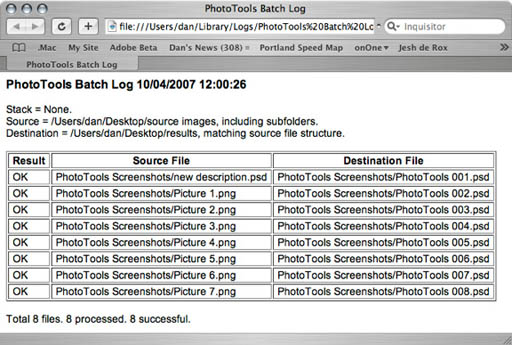 |
See also