Home > Using PhotoTools 25 > Using the Effects Library > Presets > Browsing Presets
Browsing Presets
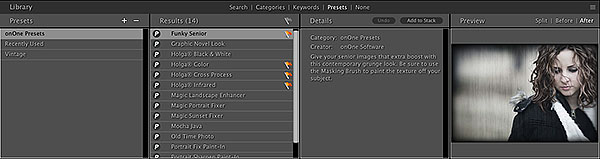 |
- You can browse and search for presets just like you browse for an effect. They will appear in the results column in search, keyword, or preset modes, along with effects that match your search criteria.
- When the library is in preset mode you will see only presets in the results column and not the effects.
- You can see the same details such as description, author and before/after previews in the detail and preview panes.
- Your last six used settings are automatically saved as last used presets in the Last Used category in the presets column.
|
See also
|