Home > Using PhotoFrame > Using the Library > View Options > View Background Color
View Background Color
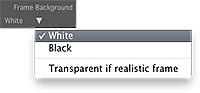
| The Frame Background color selector will toggle between white or black. This refers to the color of the "background" region of the frame. This is the same as setting the color in the background palette. Toggling from white to black may make it easier to preview some design elements such as adornments. The color you have selected is the color that the background of your frame will be when you add it to your stack. You can also select the Transparent if realistic frame option, which will set the background color to none if the frame is a realistic frame, like a layout or most adornments. |
 |
 |
 |
| White Frame Background | Black Frame Background |
See also