Home > Using PhotoFrame > Using the Preview Window > Rulers
Rulers
| The rulers are a new addition to PhotoFrame. They help you to precisely position elements in relation to the entire image area. To turn the rulers on: • Go the the View menu and select Show Rulers • Or use the cmd+R (Mac) ctrl+R (Win) shortcut You can change the ruler units by: • Right clicking on the rulers and selecting the units from the the pop-up menu • Or by changing them in the preferences By default the origin point for the rulers is the upper left corner of the image layer. You can change the orgin point by clicking and dragging from where the rulers intersect in the upper left corner of the Preview window to a new location. Gray guides will appear while you do this to help identify the exact location. You can reset the origin point to the default location by double-clicking in the intersection of the rulers. You can also set the rulers to be centering rules by go the the preferences and enabling this option. This is useful for centering an element or the image layer within the image area. |
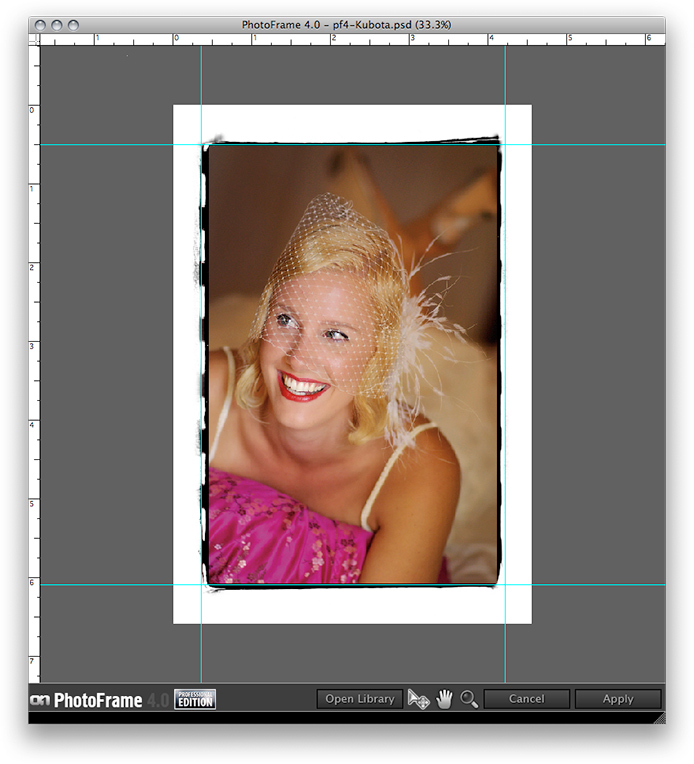 |
See also