Home > Using PhotoFrame > Photoshop Lightroom Use
Photoshop Lightroom Use
PhotoFrame 4.5 can now be accessed inside of Adobe Photoshop Lightroom 2. This allows you to add a frame or preset group of frames or design elements to a single image or group of images right inside the workflow application you use day in and day out. PhotoFrame provides a round-trip workflow experience. Just a few seconds after pressing the Apply button you will see your results from PhotoFrame right inside of Lightroom. PhotoFrame for Lightroom uses Photoshop as the imaging engine for hosting PhotoFrame. |
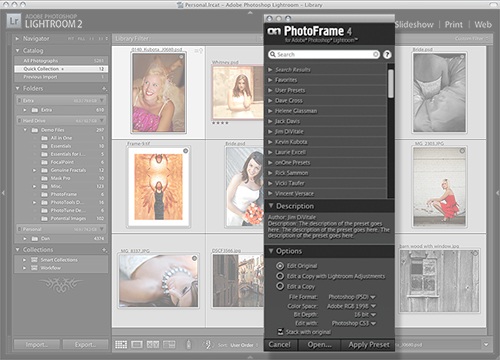 |
Installing PhotoFrame 4.5 for Lightroom
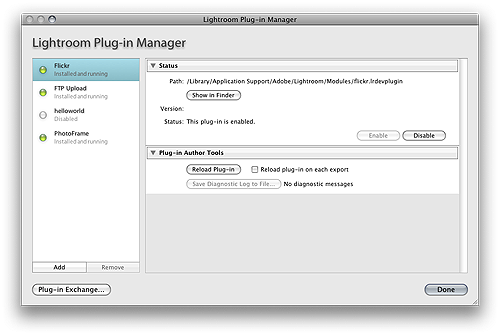
When you install PhotoFrame it will automatically install the components for Lightroom as well. You will need to manually enable the PhotoFrame Lightroom plug-in to be able to use it. Follow these instructions:
|
 |
See also