Home > Using PhotoFrame > Using the Library > View Options > Show Frame Only
Show Frame Only
| Normally when you use the Library it shows your image underneith the different frames and design elements. You can turn this off by changing the the Show Frame Only toggle. When it is enabled you will see the just the frame or design element only. This can be helpful when browsing adornments. | 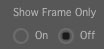 |
 |
 |
| Normal View | Show Frame Only |
See also