Home > Using PhotoFrame > Batch Processing > Destination Tab
Destination Tab
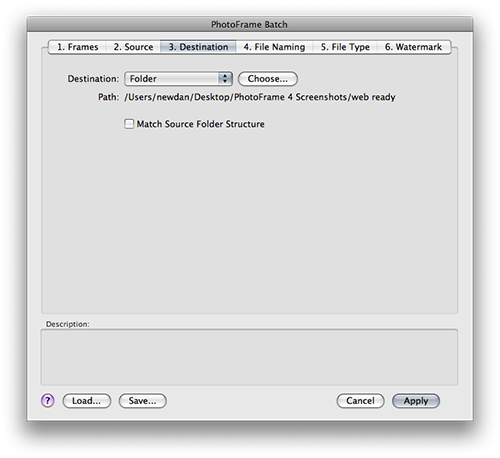
| The destination tab helps you define where to put the files that are batch processed. It is similar to the source tab and has two options. The first is save and close. When this option is selected each file that is processed will be saved with the same name and file type as the original. If your source files are camera raw files they will be saved as PSD files. If you use the folder option you can create new child documents from your original files. You can control the names and file types in the File Names and File Types tabs. Use the Choose... button to select the folder where you would like the new files to live. Like the source tab there is also an option to create matching subfolders if the source folder has subfolders. For example iif your source folder has subfolders named ceremony, formals and reception the PhotoFrame will create matching subfolders in the destination folder and place the new files in the matching folder structure as the originals. |
 |
 |
Note: Using the save and close option may overwrite your original files. Note: Using the same source and destination paths without changing the file names or file types can result in overwriting your original files. PhotoFrame will detect overwriting and ask you to confirm. |
See also