Home > Using PhotoFrame > Using the Library > Presets > Browsing Presets
Browsing Presets
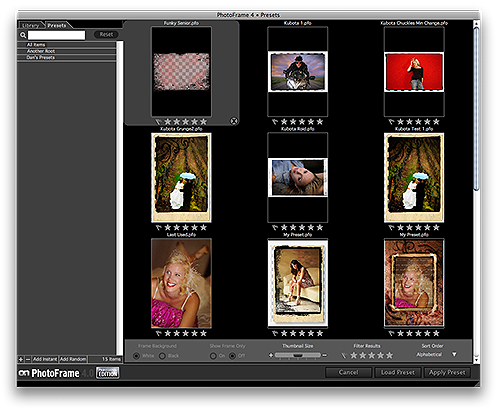
Finding and browsing presets is just like finding and browsing any other type of content in PhotoFrame. Start by opening the Library and then click on the Presets tab in the upper left corner. The window will look similar to the normal Library view. The category list will change to your preset categories and the thumbnails will show the stored thumbnail in the preset rather than your image. You can use the same search and view options as you would in the normal Library. You won't see your image in thumbnail section, however you will see a thumbnail of what a preset looks like with the image that it was created with. |
 |
See also