Home > Using PhotoFrame > Using the Library > Browsing Categories
Browsing Categories
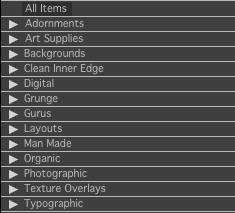
| On the left side of the Library window is the category pane. This column contains a tree style view of the categories in PhotoFrame. At the very top is a special category called All Items which will display every design element. Below that are the main categories, which are large groups such as Adornments, Backgrounds, Gurus, etc. Inside of each main category are sub-categories and even some sub-categories have even more categories inside of them. You can open and close and category by clicking on the triangle next to the name of the category.
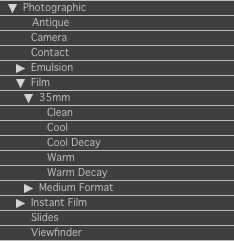
As you open a category deeper the sub-category names will indent. |
 |
| To the right you can see that the Photographic category is open, exposing several sub-categories. Also the sub-categories Film and 35mm are opened exposing Clean, Cool, etc. The category list in PhotoFrame makes it easy to browse through the content in a logical, folder structure style. When you click on a category it will display its contents as thumbnails in the thumbnail section. The contents of all its sub-categories will displayed as well. |
 |
See also