Home > Using Genuine Fractals > Photoshop Lightroom Use
| Photoshop Lightroom Use |  |
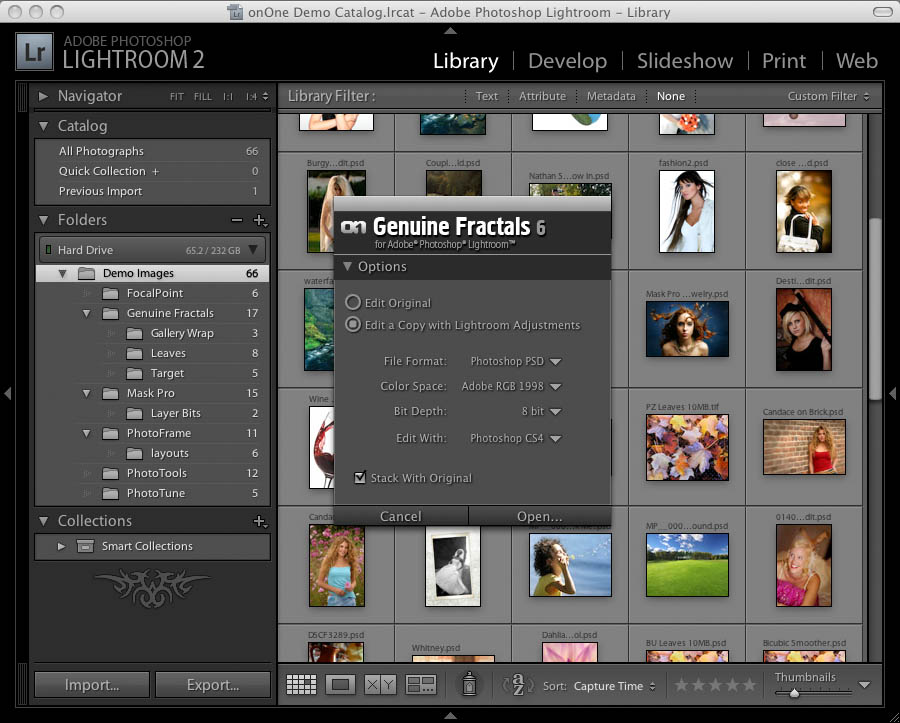
Genuine Fractals can now be accessed inside of Adobe Photoshop Lightroom 2. This allows you resize a single image or group of images right inside the workflow application you use day in and day out. Genuine Fractals provides a round-trip workflow experience. Just a few seconds after pressing the Apply button you will see your results from Genuine Fractals right inside of Lightroom. Genuine Fractals for Lightroom uses Photoshop as the imaging engine for hosting Genuine Fractals. |
 |
Installing Genuine Fractals for Lightroom
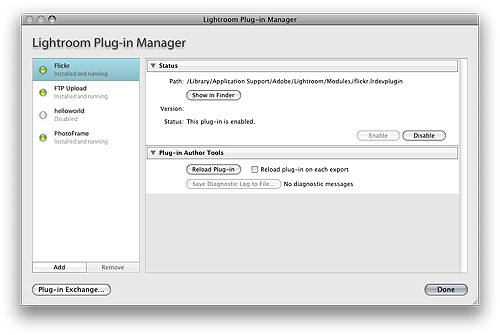
When you install Genuine Fractals it will automatically install the components for Lightroom as well. Generally, you won't have to do anything. However if you don't see Genuine Fractals in the plug-in extras menu in Lightroom after installation you will need to manually enable the Genuine Fractals Lightroom plug-in to be able to use it. Follow these instructions:
|
 |
See also