HelpConsole 2008 SP1 - Genuine Fractals 6

Home > Using Genuine Fractals > Aperture Use > Manual Use

Manual Use


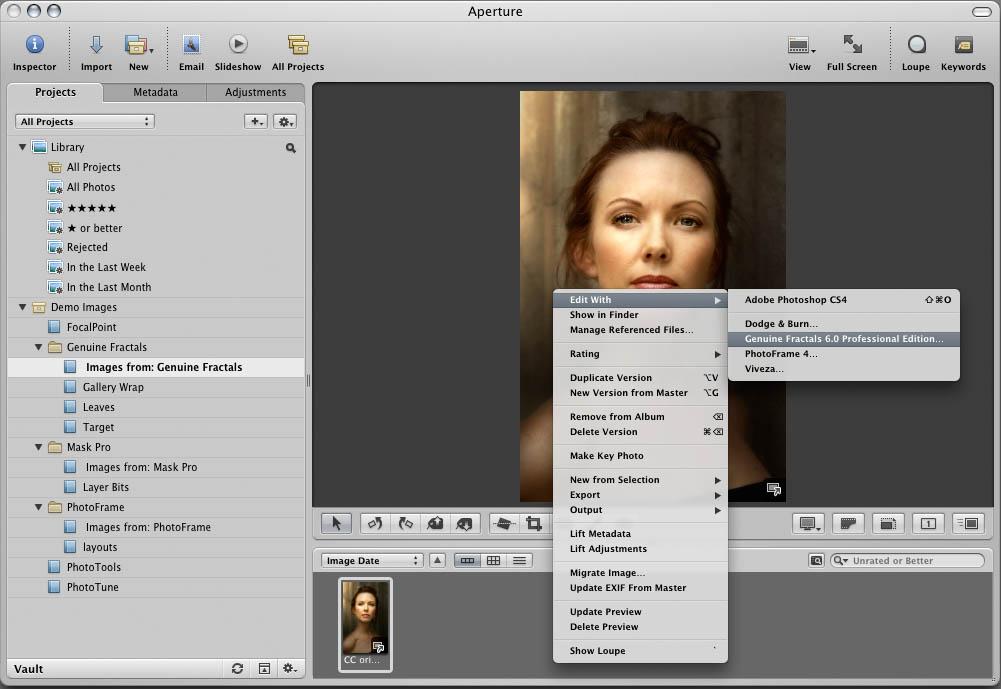
 To Apply a Genuine Fractals in Apple Aperture follow these instructions:
  1. Open Apple Aperture
  2. Select an image
  3. Right click (control-click) on the image
  4. The contextual menu will appear, select Edit With
  5. Select Genuine Fractals
  6. The Genuine Fractals for Aperture dialog will appear.
  7. Adjust your image settings as usual
  8. Press the Apply button in Genuine Fractals to apply the results and return to Aperture.


   Note: The Tiling and Gallery feature is disabled when accessed from Lightroom.