Home > Why Genuine Fractals > Examples
Examples
Example OneThe best way to compare Genuine Fractals to other scaling methods is to enlarge several images, print them out and compare them. For the purposes of this Evaluation Guide, we have included screen shots of several images that have been enlarged using Genuine Fractals 6 and Bicubic Smoother. Please note, no additional sharpening or settings other than the defaults have been used for either scaling method.
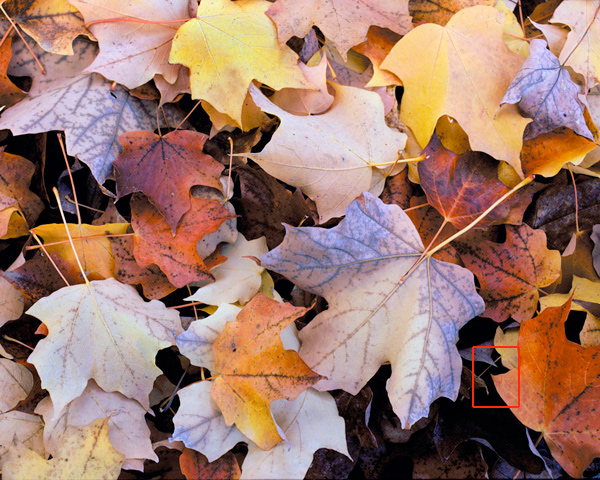
The cropped picture of the leaves below, was taken from a film scan that originally was 2100 x 1680 pixels and was enlarged by 400%. Please note the edges of the leaves and how sharp the image enlarged with Genuine Fractals 6 is compared to the version enlarged using Bicubic Smoother.
 | |
Detail section enlarged with Photoshop Bicubic Smoother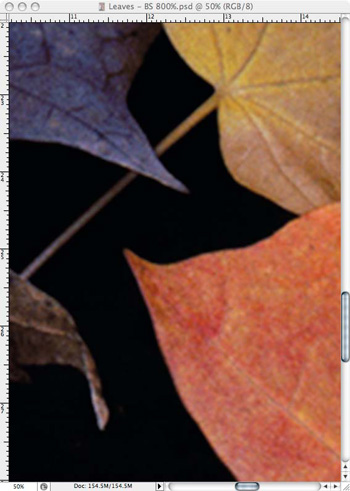 |
Detail section enlarged with Genuine Fractals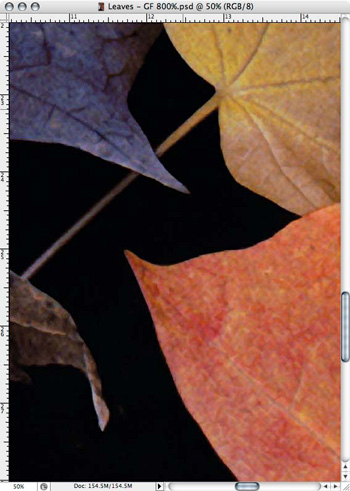 |
Example Two
The following example illustrates the benefits of the new Gallery Wrap feature. When making enlargements for canvas it is common to wrap a portion of the image around the wooded stretcher bars, which can be several inches thick and are used for mounting the canvas. These are commonly called gallery wraps. However, if the photographer had important detail near the edges of the image they may be lost in the wrapping process. The new Gallery Wrap feature in Genuine Fractals 6 Professional Edition automatically creates extended margins by reflecting or stretching the areas near the edge of the image allowing the photographer to create a gallery wrap without having to sacrifice any of the original image.
Without Genuine Fractals 6, all of the area covered by the darkened box will be wrapped around the stretcher bars, effectively removing important compositional details like the top of the window, the masonry on the left and the bottom of the dress. 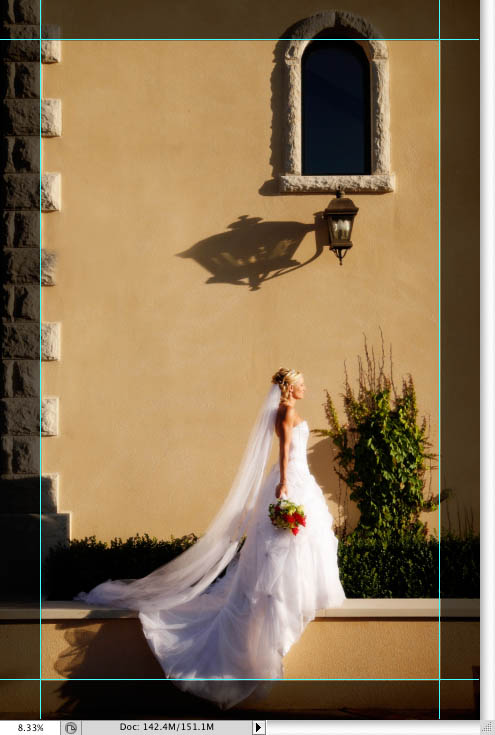 |
With Genuine Fractals 6, the Gallery Wrap feature can add realistic extended margins so the original image is left in-tact but there is information to wrap around the stretcher bars. 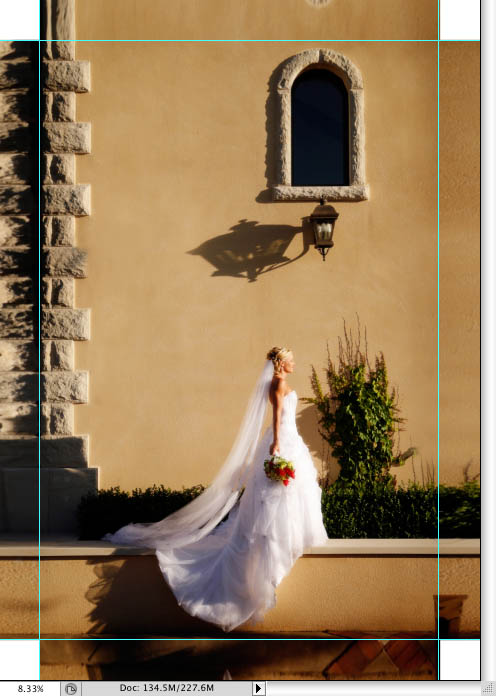 |
See also