Home > Using FocalPoint 2 > Menus > Help
Help
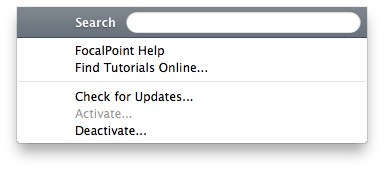
| Search: Not used, Mac OSX only FocalPoint Help...: Opens this html help in your default web browser. No internet connection is needed. Find Tutorials Online...: Opens your web browser and goes to the tutorials section of the onOne website. An internet connection is required. Check for Updates...: Checks with the onOne update server to see if you are running the current version. If there is a newer version you will be notified and be walked through the update process. Activate/Deactivate: Opens the activation dialog. These are used to deactivate your software for moving it to another computer or for a return. About FocalPoint (Windows Only): Opens the about box with the version number and license code displayed. |
 |
See also