Home > Using FocalPoint 2 > Using the FocusBug
Using the FocusBug
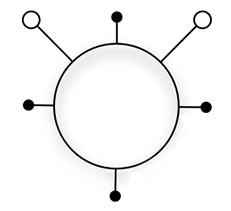
| At the heart of FocalPoint is the FocusBug, the main control for adjusting the size, shape and position of the sweet spot. It appears as a wireframe representation of an insect. It has a body, legs and antennae. The FocusBug gives you a fast and tactile way to control the most commonly used controls in FocalPoint. The FocusBug controls the position, size and shape of the sweet-spot (the area that does not get blurred) as well as the amount and type of blur and the feather and opacity of the sweet-spot. Once you have played with the FocusBug for a few minutes you will get the hang of using it. And it will become fast and intuitive for you to use, just like adjusting a zoom lens on a camera. |
 |
See also